HTML Topics
©1998–2010 R. Hinton/P.
O'Heron, Broome Community, Broome Community College
Last Updated: 18–Feb–10
¡¡Using Colors!!
Overview
When used appropriately, color is an easy way
to add pizzazz to any Web page. Why live with basic black text? To make specific words or
phrases stand out, change the color!
Tired of black text on a white background? Change the default colors of the Web page’s text
and background. Finally, while this page limits its discussion to
text color, it can also be applied to other Web page elements
such as Horizontal Rules and Tables.
Color is specified by either using its name
or a six position hexadecimal
number.
The easiest way to define text color is by
using its name. While it limits the number of colors available,
it does make it easier to maintain the Web page and reduce the
possibility of displaying clashing colors. The color
attribute is used with the font tag to specify the
color and takes the following general format:
<font
color="NameOfColor">Associated Text</font>
Here’s what color really looks like:
<font color="red">red</font>
<font color="blue">blue</font>
<font color="purple">purple</font>
<font color="pink">pink</font>
<font color="tomato">tomato</font>
<font color="rosybrown">rosybrown</font>
While you can use the color names
supported by most browsers‚ it is recommended that you
use their hexadecimal number. The best way
to ensure that the colors will display properly, is to only use
the 16 colors supported by 640x480 VGA monitors:
- aqua
- lime
- white
- yellow
|
- black
- blue
- fuchsia
- gray
|
- green
- maroon
- navy
- olive
|
- purple
- red
- silver
- teal
|
Return to
Top of Page
If you want to have access to all
16‚777‚216 colors available on today’s
monitors, then you have to “mix your own” just as a
painter does. In fact, this is called the color palette and the color is
“mixed” by entering its value as a series of
hexadecimal codes. This takes the following general format:
<font color="#RRGGBB">Associated Text</font>
where the R’s
control the intensity of the red, the
G’s control the intensity of the
green, and the B’s control the intensity of the blue for each pixel. Legal values for each
R, G, or
B are 0, 1, 2, 3, 4, 5, 6, 7, 8, 9, A,
B, C, D, E, and F. 00 means no intensity, while FF means full
intensity. For example:
<font color="#FF0000">bright red</font>
<font color="#00FF00">bright
green</font>
<font color="#0000FF">bright
blue</font>
Color mixtures are allowed:
<font color="#4169E1">royal blue</font>
<font color="#529584">sea
green</font>
<font color="#FFE4E1">misty
rose</font>
<font color="#222298">cornflower
blue</font>
<font color="#D2691E">chocolate</font>
Return to
Top of Page
Until now, the body tag was only used
to define the beginning of the displayable parts of the Web page.
In fact, its attributes control many of the Web page’s
default characteristics. The text attribute changes the
default text color and the bgcolor attribute changes the
background color. The way links are displayed can also be
changed. The following body tag was used for this page:
<body text="maroon" bgcolor="#FFFFDD"
link="#9933CC" alink="#CC3399" vlink="#993CF3">
where:
-
- link
- Defines the color for links that haven’t been
clicked yet
- alink (Active link)
- Defines the color for a link that is being clicked
- vlink (Visited link)
- Defines the color for links that have been clicked
Return to
Top of Page
If you don’t want to do all the math, a
simple color chart can provide the hexadecimal values for many of
the available colors. However‚ it can’t provide
values for all 16‚777‚216 possible color
combinations.
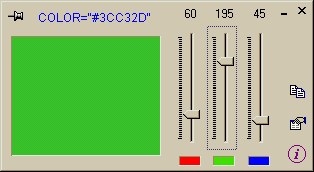
An easy way to experiment with the color palette is by using a
color mixing tool. Not only does it calculate a color’s
hexadecimal value, but most operate in a graphical environment.
Colors can be previewed and adjusted in real time permitting
custom colors to be easily created.
A color mixing tool doesn’t need to be complicated or
expensive. In fact‚ often simpler is better! I discovered
this “gem” at Johannes Wallroth’s Web site. He is a
German hobbyist who likes to write useful programs for the fun of
it. He also likes to share! The following information was taken
directly from Mr. Wallroth’s Web site: (with a few minor
alterations)
The changes make the program easier to
install. His Zip file was converted to a self–extracting
Zip file so an unZipper program isn’t needed. All
files‚ as he had them set them up‚ are included.
A Few Notes About Installing the Program:
- Click the filename above to download the file.
- Double–click the filename after downloading to start
the extraction process.
- The default extraction folder is the folder you saved the
file in.
- By default, the files are extracted to a subfolder of the
current folder named RGBMixer.
- You will be asked if you want to create this
folder.
- The answer will depend on where you saved the
downloaded file and where you want the extracted files
saved to.
- Read the README.TXT file.
- Once extracted‚ the program is ready to use.
Return to
Top of Page